
Work Order Management Software
BlueFolder’s Work Order Management Software makes it easy to operate and grow your service organization by maximizing your techs’ efficiency, increasing your billings, and streamlining work order tracking.
%
Decrease in "status check communications"

%
Annual revenue increase

%
Boost in billing first three months

What Makes Bluefolder’s Work Order Software Better?
Simplicity. BlueFolder’s work order software is all about simplifying your business processes, but that doesn’t make it any less powerful. You still get access to customizable features that help your unique business operate efficiently.
Work Order Tracking Software That Wins Back Time For You And Your Team
Work Orders
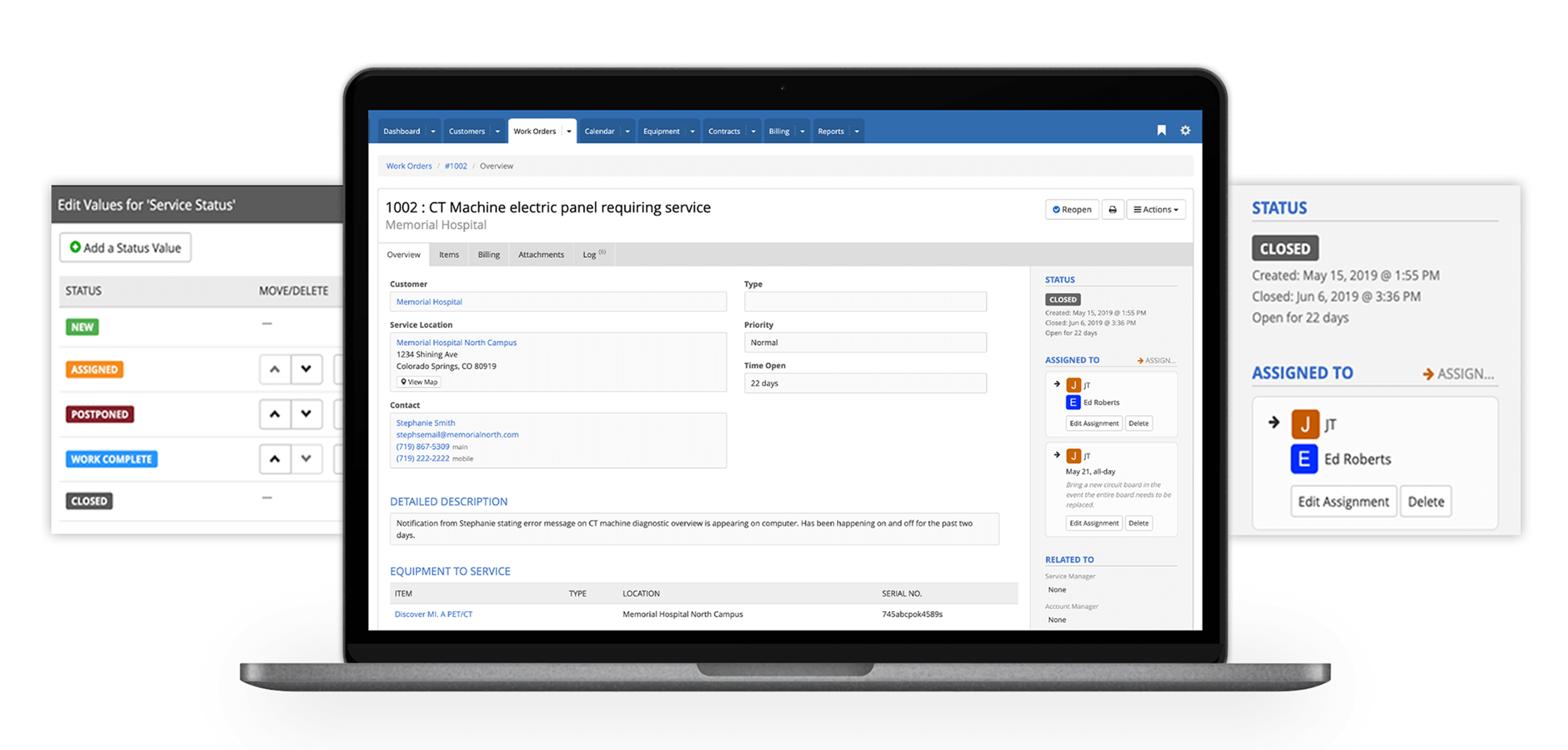
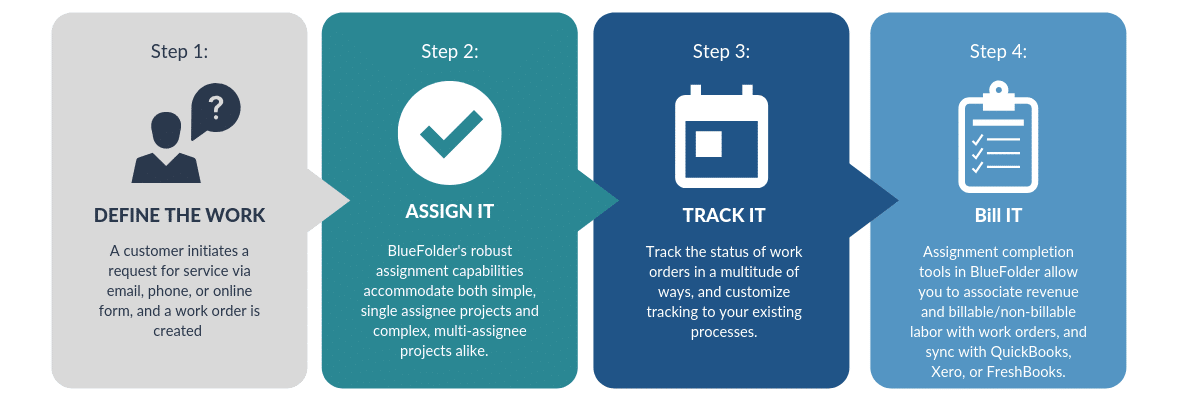
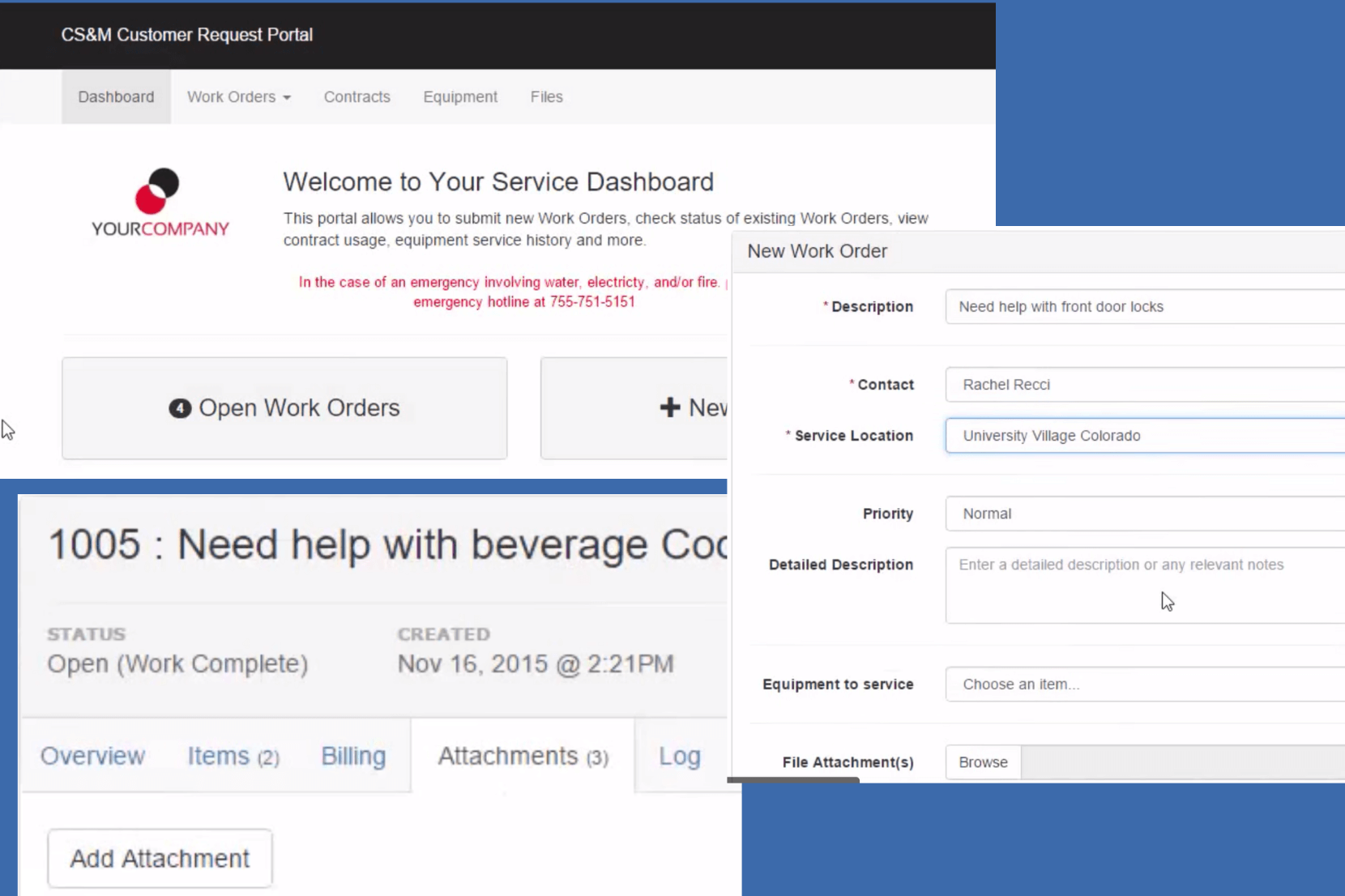
Create work orders from the office, in the field, via email, web form, or customer portal. Track work order status and optimize workflows for your service team.
Workflow Automation
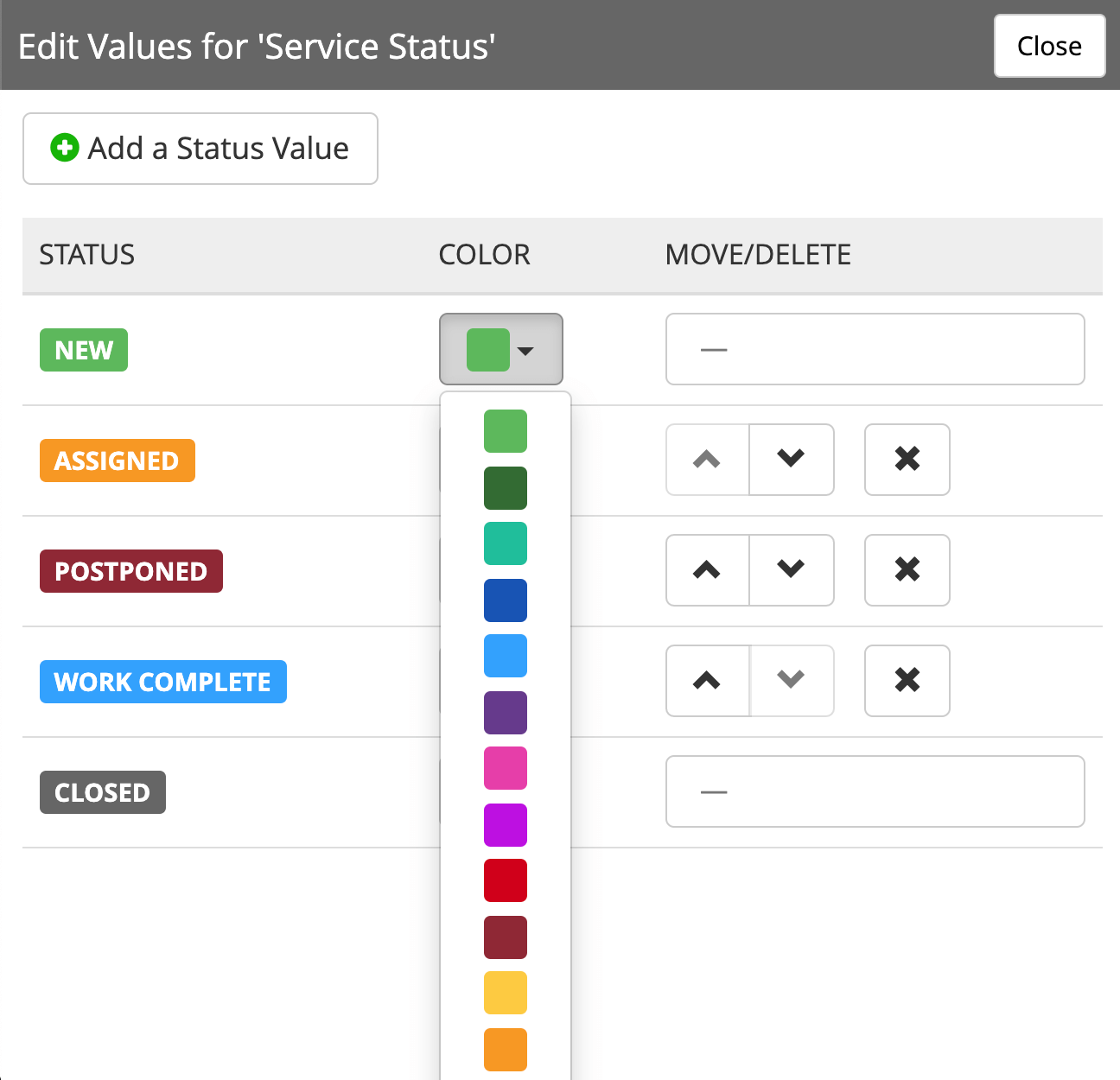
Create workflows specific to your unique needs. Create custom work order status values, color-coding, generate automated status changes, and set default status values for specific events.
Track Assignments
Assign work orders for completion and keep track of completion status. Support for multiple scheduled assignments per work order and assignments to multiple techs at a time.
Scheduling
Keep track of service appointments, customer meetings & equipment maintenance, and push calendar events to Outlook, iCal, or Google Calendar.
Billable Labor, Materials & Expenses
Record every service activity whether it’s labor, materials or expenses. Mark activities as billable, non-billable, or contracted.
Activity Logs & Audits
Gain greater insight and accountability into ALL of the data you need for each customer, job, or equipment item.
Signature Capture
Record acceptance of completed work by capturing your customer’s signature directly into your work orders, and easily email copies of signed documents directly to customers, all while in the field.
Job Costing
Track profitability for individual work orders and run profitability reports across all service work for a period of time.
Asset Management
Keep track of the assets & equipment you service. Attach before/after photos, user manuals, etc. Run service history reports to identify maintenance trends and trouble spots.
Team Communication
Keep your whole team (and your customers) up to date on key work order events with email & text message notifications. Your techs and customers can reply to notifications and their replies are added to the work order comment history.
Recurring Jobs
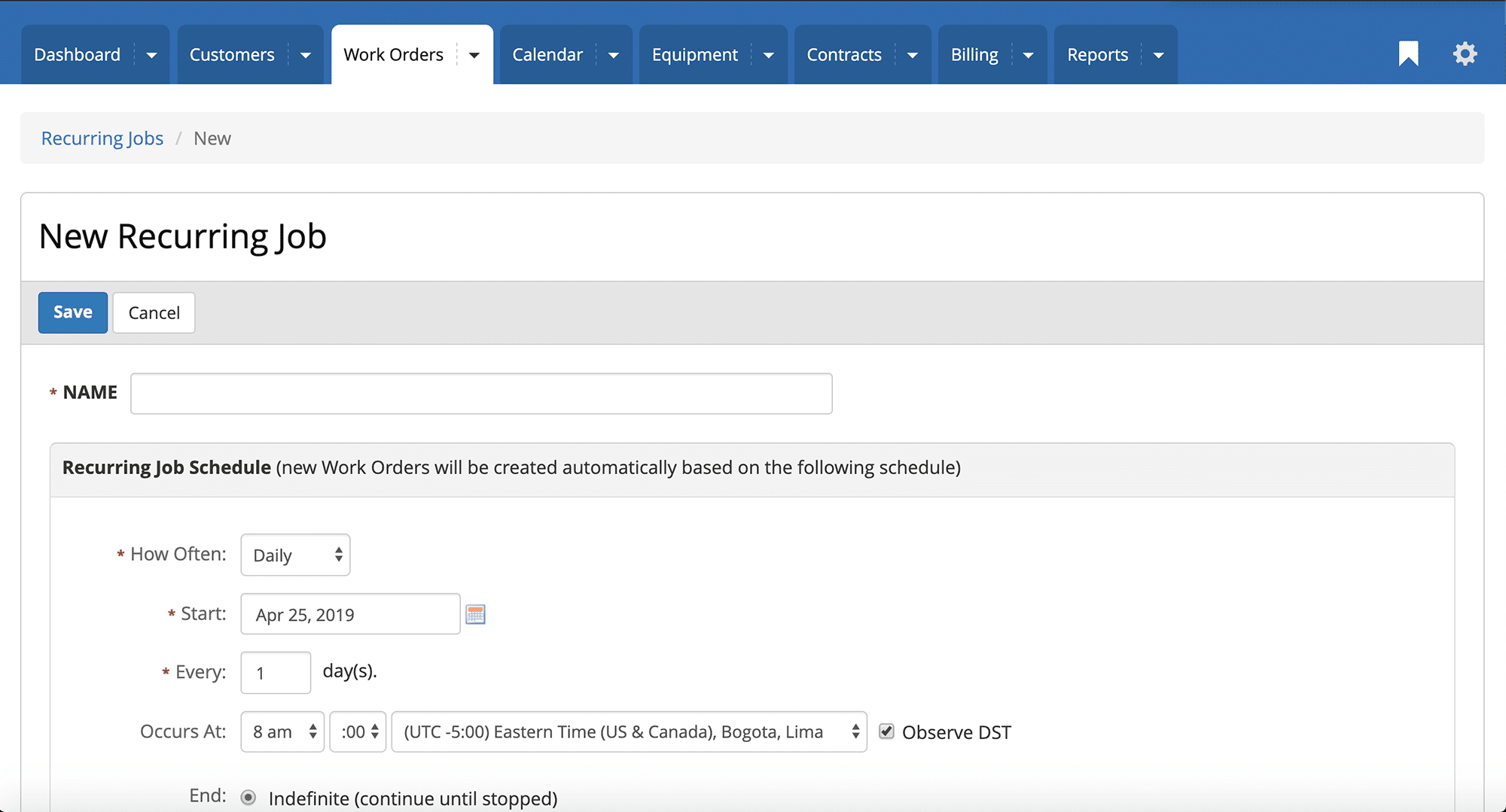
Recurring jobs simplify the tracking of repetitive work and preventive maintenance by automatically creating work orders at specified intervals specified by you.
Custom Fields
Record, display, search and report on specific data that you need for your business. Custom field types include text, lists, dates, numeric, and yes/no fields.
Bulk Edit
Modify multiple work orders with a single action. Close work orders, change status, or add comments easily and save hours keeping your data up-to-date.
Flexible Printing
Sometimes you just need a hard copy. Our flexible print capabilities include multiple built-in templates and the ability to purchase custom templates (at additional cost).
Attachments
Attach files and links to work orders. Whether it’s photos, PDFs, manuals, or any other relevant file, you can attach them all to your work orders and keep them secured in one place.
Smart Lists
Build custom smart lists for organizing and tracking your work orders. Smart lists include preset search criteria, filters, list columns and sort order, all accessible with a single click. Lists can also be restricted by user group and/or role.
A Work Order Mobile App Your Techs Will Actually Use
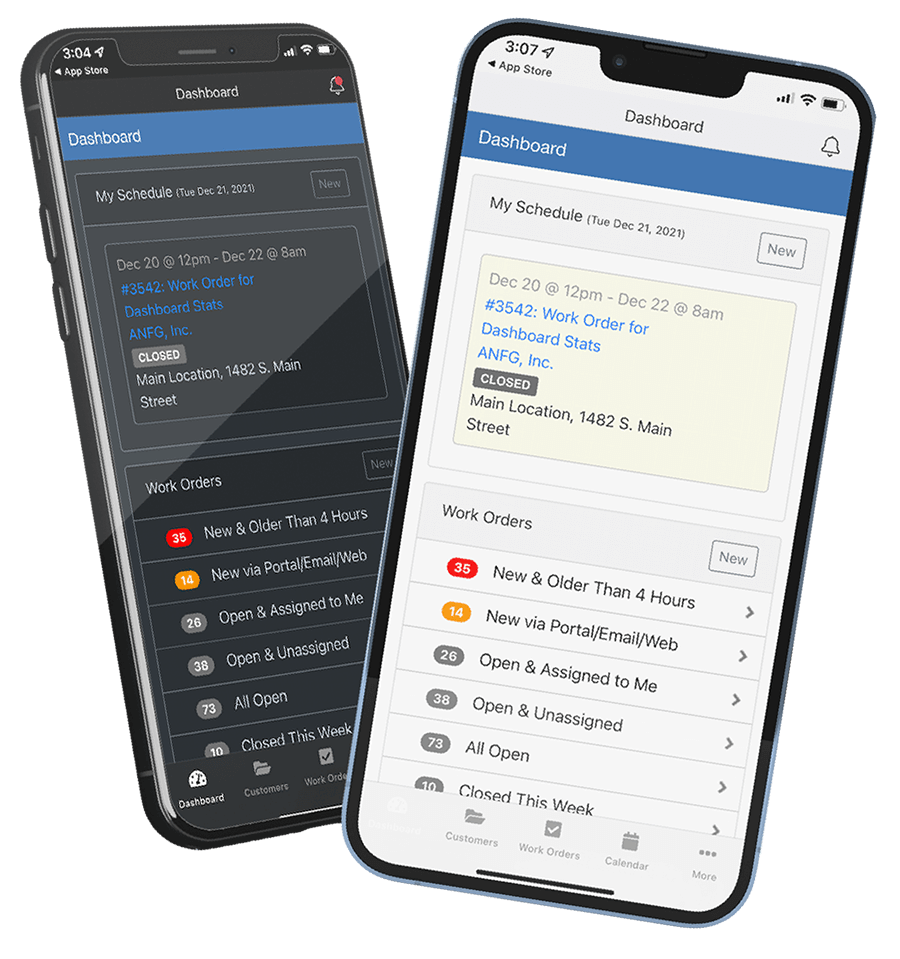
Your field service technicians and maintenance crews are always on the go, so a stable work order mobile app critical. Give them what they need to make their service calls go smoother (and faster – with fewer mistakes).
From their mobile device, they can easily:
- Manage & update work orders
- Attach “before & after” photos
- Capture customer signatures
- View and complete assignments
- Record billable activities
- Access customer service history
- View equipment maintenance history
- And much more!



Improve Results At Every Stage: From Work Order Request to Work Order Done.
Finally, A Work Order System That Can Be
Customized To Work The Way You Do
Custom Fields
Use BlueFolder’s work order custom fields to help you record, display and report on specific data per work order. Custom field types include text (any type of data), lists (a set of values users must pick), dates, numbers, and yes/no fields (checkboxes used for true/false values).

Recurring Jobs
With BlueFolder’s recurring jobs, you can schedule recurring jobs for your customers or your internal organization, implement preventive maintenance plans for equipment/assets, or simply remember monthly service appointments.
Workflow Automation
BlueFolder’s Work Order Software features are highly customizable, allowing you to create workflows specific to your unique needs. The ability to change work order status colors, generate automated status changes, use default values for assignment completion, and specify how work orders behave based on technician permissions, gives you complete control over how work is managed and completed.
*Limited to specific pricing plans*
Work Order Smart Lists
Smart Lists provide a way to display the work order list in an organized and predictable way. You can create Smart Lists with specific criteria to make it easy to display the exact work orders you want to see. Smart Lists also allow you to choose which columns should appear in the work order list, in what order, and how the list should be sorted by default.
*Limited to specific pricing plans*
Create Work Orders from
Multiple Sources
Work order software should simplify how work orders are created. With BlueFolder, you can easily and quickly create work orders via email, web request, customer portal, and the BlueFolder API.
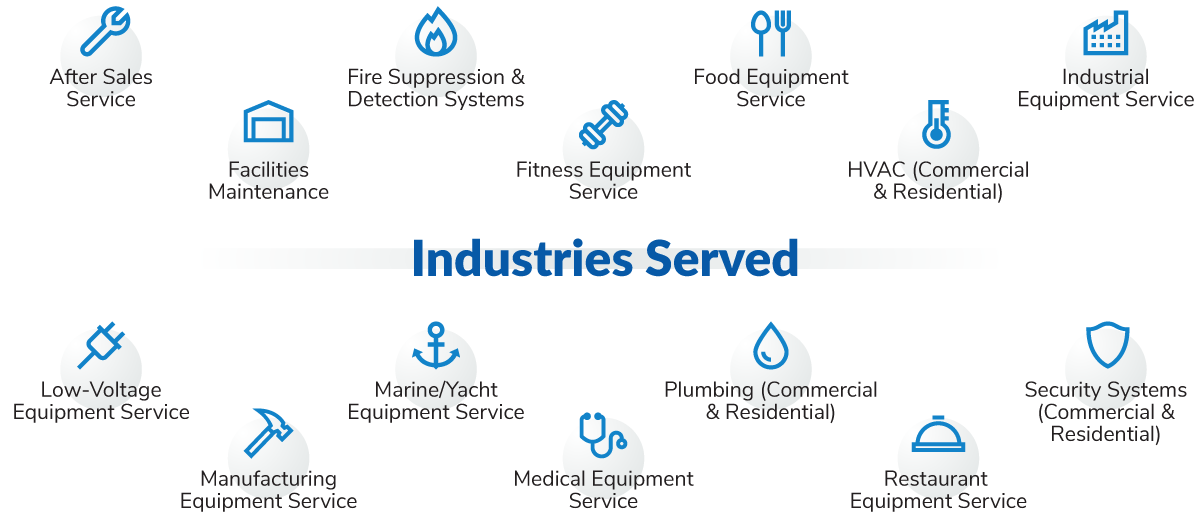
Built for Commercial, Industrial & Residential Service Companies
BlueFolder was built for field service teams, by field service professionals. Our core principle is that software should be powerful, yet easy-to-use. In fact, most organizations are able to get up and running in just a few hours.
Use BlueFolder’s work order custom fields to help you record, display and report on data specific to your industry:
Earning the Trust of Field Service Companies since 2005
Examples of how BlueFolder’s work order tracking software brings value to service teams or organizations:

“BlueFolder is very cost effective and highly customizable.
Our best experience is how we can offer any type of preventative maintenance cycle to our clients.”
RON McDONNELL,
PRONTO GYM SERVICES, INC.

“We’ve used BlueFolder for three years, have 30 techs, and love it.
Creating work orders is super fast and easily searchable afterward. Customer service reps are fast and friendly.”
JERAMY HARSTAD,
NORTHWEST ELECTRIC SOLAR

“I have found your company to be outstanding in service and customer care. So many services promise so many things; BlueFolder actually delivers! Thank You for helping me run my business better!”
JEFF TINGLEY,
SPARKLE SERVICES

JUSTIN KOEGLER,
PRESIDENT, TROPIC AIR

“The Web-based aspect of BlueFolder was key for us. We can get the information from any location and that’s important to us. It limits the needless calls back to the office because sales and service reps can find it on their own.”
MICHAEL MCHUGH,
SENIOR VICE PRESIDENT, HYDROWORX

“I like it because it’s web-based and not specific to any platform. BlueFolder works on any laptop, mobile device, and browser that we use.”
CRAIG HICKMAN,
VICE PRESIDENT OF SALES, PROBLEU